
The YOM SDK allows you to push your own custom events to the browser, allowing communication between the Unreal client and the pixel streamer / web browser. This guide explains how to set up, determine their event scope, and use them.
Step 1: Use PushYomEvent Function
Once you have the YOMGameInstanceSubsystem, use the PushYomEvent function:
YOMGameInstanceSubsystem->PushYomEvent(PEventScope, PFunction, PVariableNames, PVariableValues);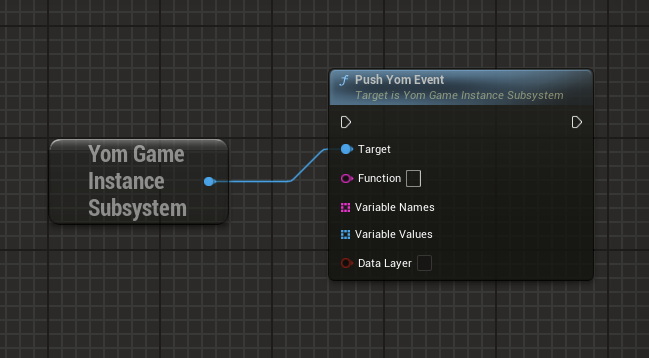
Use the “PushYomEvent” function with these parameters:
- Function: Name of the function to call
- Variable Names: Array of variable names
- Variable Values: Array of variable values
- DataLayer: Boolean to determine whether the event should be automatically pushed forwards to the DataLayer, used by marketing and data services Google Analytics.
Result
By following these steps, you can push communication from your Unreal Engine project to the pixelstreamer/web browser.